 Introducing:
 COLOR PLANS AT B&W PRICESFull Size $1.75 Half Size $0.95with $149/yr membership

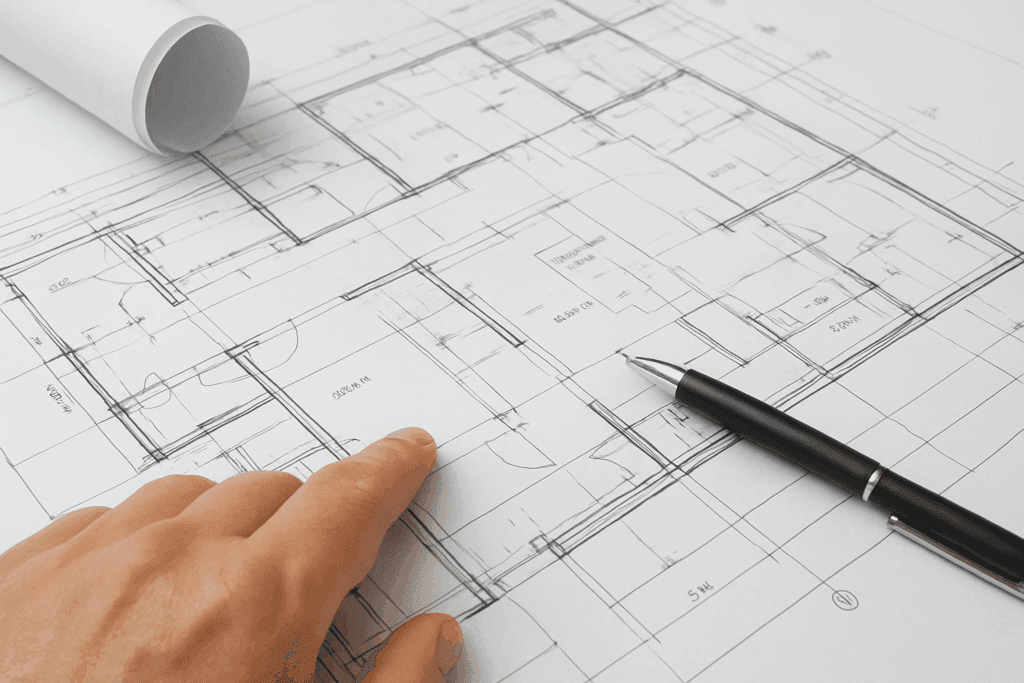
You’ve spent 200 hours designing the perfect project. The renderings are stunning. The details are meticulous. Your client is thrilled.
Then the printed construction documents arrive, and the disaster reveals itself: illegible text, incorrect scaling, missing pages, or worse—delivered to the wrong location two days after the permit submission deadline.
Architectural blueprint printing seems straightforward until it goes wrong. And when it goes wrong, the consequences ripple through project timelines, client relationships, and your firm’s reputation.
After analyzing thousands of architectural plan printing orders and talking with hundreds of architects, five mistakes emerge as the most common—and most costly. This guide breaks down each mistake and shows you exactly how to avoid them.
Mistake #1: Not Verifying File Export Settings Before Ordering
The Problem
Your Revit model looks perfect on screen. You export to PDF, upload to the print service, and assume everything will print correctly.
Then the construction documents arrive with:
- Text so small it’s illegible
- Line weights that are too thin or too heavy
- Missing layers or elements
- Colors printing incorrectly
- Scale bars that don’t match actual dimensions
Why it happens:
CAD and BIM software export to PDF using default settings that optimize for screen viewing, not large format printing. These defaults often produce:
- Rasterized text instead of vector (results in blurry printing)
- Incorrect line weights (too light for physical blueprints)
- RGB color space instead of CMYK (causes color shifts)
- Low resolution for images and renderings
The Solution
Implement a pre-export checklist before every print order:
Revit Export Settings:
- Set raster quality to “High” (600 DPI minimum)
- Enable “Vector Processing” for crisp lines
- Check “Always use plotted line weights”
- Verify sheet size matches intended print size
- Export at actual size (1:1 scale)
AutoCAD Plot Settings:
- Use “DWG To PDF.pc3” driver
- Select “monochrome.ctb” or your studio’s CTB file
- Set quality to “Maximum”
- Ensure “Plot scale” is 1:1
- Check “Plot with plot styles”
Universal PDF Export Best Practices:
- Always include scale bars on sheets
- Set minimum text size to 8pt (smaller becomes illegible when printed)
- Use vector format, not raster, whenever possible
- Embed all fonts
- Flatten transparency
Pro Tip: Create a master PDF export preset in your software and save it as your studio standard. This eliminates variation between team members and ensures consistent output.
Testing Before Large Orders:
Before ordering 50 copies of a 100-page construction document set, print one test sheet:
- Order a single sheet at actual size
- Verify text readability with a 6-foot viewing distance
- Check line weights are visible but not overly heavy
- Measure scale bar against ruler to confirm accuracy
- Only then order full quantity
This 10-minute verification step can save thousands of dollars in reprints and avoid project delays.
Real-World Impact
Case Study: Mid-size architecture firm exports 75-page CD set for permit submission. Text on detail sheets prints too small to read. Building department rejects submission. Firm must:
- Rush-order corrected prints at premium pricing
- Miss permit submission deadline
- Delay construction start by 3 weeks
- Absorb $12,000 in client-facing costs
Prevention cost: 15 minutes to verify export settings and order test print
Mistake cost: $12,000 + client relationship damage
Mistake #2: Using Consumer-Grade Print Services for Professional Work
The Problem
Many architects default to the nearest FedEx Office, Staples, or Office Depot for blueprint printing. After all, they’re convenient and familiar.
Then reality hits:
- Quoted $4.50 per sheet (vs. $1.75 at professional services)
- Wait 2-3 days for “rush” orders
- Receive inconsistent quality (different machines, different operators)
- Discover limited large format capabilities
- Experience file compatibility issues
- Get told “we can’t print this” after waiting in line 20 minutes
Why architects make this mistake:
- Perceived convenience: “It’s right down the street”
- Unfamiliarity with alternatives: Many architects don’t know professional online blueprint printing services exist
- Small project bias: “It’s only 10 sheets, no big deal”
- Habit: “We’ve always used [local shop]”
The Reality Check
Big-box stores are designed for consumers, not construction professionals. Their equipment, processes, pricing, and expertise reflect this reality.
| Factor | Big-Box Store | Professional Blueprint Service |
|---|---|---|
| Per-sheet cost | $3.50-$5.00 | $1.75 (fixed) |
| Equipment | Consumer-grade | Enterprise large format printers |
| Operator expertise | General retail workers | Professional reprographics specialists |
| File handling | Limited formats, frequent issues | Accepts all CAD/BIM exports |
| Quality consistency | Variable by location | Standardized processes |
| Turnaround | 24-72 hours | Same-day processing |
| Volume capacity | Limited (often outsource) | No limits |
| Delivery options | Local only, limited | Nationwide, multiple addresses |
The Solution
Use professional online blueprint printing services like Plans4Less specifically designed for architects, engineers, and construction professionals.
Benefits:
- Fixed transparent pricing: $1.75 per full-size sheet, always
- Same-day processing: Orders before 11 AM print and ship that day
- Professional quality: Enterprise equipment, guaranteed standards
- File expertise: Handle complex CAD, Revit, and PDF files seamlessly
- Software integration: Direct ordering from Procore, BIM 360, PlanGrid
- Nationwide delivery: Ship to clients, permit offices, contractors anywhere
- No minimums: Print 1 sheet or 1,000 at same per-sheet rate
When Consumer Services Make Sense:
The only scenario where big-box stores are appropriate:
- Emergency single-page print needed within 2 hours
- You’re physically at the store already
- Cost is irrelevant
For everything else—bid sets, permit submissions, construction documents, client presentations—professional services deliver better quality at half the cost.
The Numbers
Scenario: 50-page construction document set, 12 copies needed (600 sheets total)
| Service | Cost | Time Investment | Quality | Total Cost |
|---|---|---|---|---|
| FedEx Office | $4/sheet | 45 min visit + 48hr wait | Variable | $2,400 + 45min |
| Plans4Less | $1.75/sheet | 10 min upload | Professional | $1,050 + 10min |
Savings: $1,350 + 35 minutes per order
For an architecture firm placing 20-30 print orders annually, switching to professional online blueprint printing saves $15,000-$30,000 per year.
Mistake #3: Ignoring Paper Type and Quality Options
The Problem
Most architects order “standard bond paper” for construction documents without considering:
- Where the plans will be used
- How long they need to last
- Whether marking/annotations are required
- Environmental conditions
The result? Field teams working with deteriorated plans, clients receiving unprofessional-looking deliverables, or permit documents rejected due to poor print quality.
Understanding Paper Options
Professional large format printing services offer multiple paper types for specific use cases:
20lb Bond Paper (Standard)
Best for:
- General construction documents
- Internal review sets
- Typical client deliverables
- Most common choice (80% of orders)
Characteristics:
- Cost-effective
- Good detail reproduction
- Adequate durability for normal use
- Not ideal for heavy field use or marking
Vellum
Best for:
- Field sets requiring manual markups
- Working drawings with expected annotations
- As-built documentation
- Tradesman coordination drawings
Characteristics:
- Erasable and markable (pencil, pen, highlighter)
- More durable than bond paper
- Handles job site conditions better
- Slightly higher cost but worth it for field applications
Architect tip: Order vellum for the superintendent’s master set and MEP coordination drawings where markups are expected. Use standard bond for reference copies.
Photo Paper / High-Quality Presentation
Best for:
- Client presentation sets
- Marketing materials
- Competition submissions
- Portfolio documentation
Characteristics:
- Superior image quality
- Rich color reproduction
- Professional finish
- Premium pricing
Use case: When the client is seeing physical plans, upgrade to photo paper. First impressions matter.
Mylar / Polyester Film
Best for:
- Record drawings requiring long-term archival
- Municipal submissions with extended retention requirements
- Plans exposed to harsh conditions
Characteristics:
- Extremely durable (virtually indestructible)
- Water and tear resistant
- Archival quality (decades of preservation)
- Significantly more expensive
Use case: Rare in modern practice since digital archival is standard, but some municipalities still require Mylar for official records.
The Solution: Match Paper to Purpose
Create a decision matrix for your firm:
[IMAGE 2: Paper Type Decision Matrix]
Suggested visual: Visual decision tree or matrix showing use cases (Permit, Bid Sets, Field Sets, Client Presentations, etc.) with arrows pointing to recommended paper types. Include small sample images of each paper type. Color-code by priority/cost
Alt text: “Blueprint paper type decision matrix showing which paper to use for permits, construction sets, client presentations and field use”
Caption: Match paper type to purpose—vellum for field sets requiring markups, photo paper for client presentations, bond for standard documents.
| Use Case | Recommended Paper | Why |
|---|---|---|
| Permit submissions | 20lb bond or better | Adequate for official record |
| Bid sets | 20lb bond | Cost-effective for multiple copies |
| Field / Construction sets | Vellum | Durability + markup capability |
| Client presentations | Photo paper | Professional impression |
| Reference / Check sets | 20lb bond | Standard quality sufficient |
| Record / As-builts | Vellum or digital | Durability or archival storage |
Cost Impact:
For a typical 50-page construction document set:
- Bond paper: $87.50 (baseline)
- Vellum: ~$125 (+$37.50 for markability and durability)
- Photo paper: ~$200 (+$112.50 for presentation quality)
The $37.50 upgrade to vellum for the superintendent’s master set is insignificant compared to the value of clear communication and reduced errors on-site.
Mistake Within the Mistake: Not Specifying Color vs. B&W
Common error: Architects export full-color renderings, phasing plans, or MEP coordination drawings, then order “black and white” printing to save money.
Result: Critical color-coded information becomes illegible gray-scale soup.
Solution: Strategically use color printing where it adds value:
- MEP coordination drawings (color-coded systems)
- Phasing plans (different phases in different colors)
- Site plans with landscaping or utility distinctions
- Presentation sheets with renderings
At Plans4Less, color options range from $2.00 to $8.25 per sheet depending on size. For the 3-5 sheets in a typical set that truly benefit from color, the investment is minimal compared to the clarity gained.
Mistake #4: Poor Timing and Delivery Coordination
The Problem
Architects frequently underestimate blueprint printing logistics, leading to:
- Missed permit submission deadlines
- Bid set delays that compress contractor pricing time
- Last-minute rush orders at premium pricing
- Plans arriving at the wrong location (your office instead of the client’s)
- Insufficient quantities discovered during distribution
Scenario 1: The Permit Deadline Crisis
Architect finalizes construction documents Thursday afternoon. Permit submission is due Friday at 4 PM at the municipal building department.
Mistakes made:
- Uploads files to FedEx Office at 5 PM Thursday
- Expects overnight turnaround
- Doesn’t account for Friday being a holiday
- Plans print Monday—submission missed by 3 days
Impact: 3-week delay to next submission window, construction start pushed back, contractor schedule disrupted, client relationship strained.
Scenario 2: The Multi-Destination Disaster
Architect needs to distribute bid sets to:
- General contractor’s office
- Client’s office
- Their own archive
- Three subcontractors for pricing
Mistakes made:
- Orders all copies delivered to their own office
- Must manually sort and redistribute (3 hours of staff time)
- Expedited shipping to subcontractors eats into budget
- One subcontractor’s address is incorrect—package returned
Impact: Bid window compressed, late pricing, frustrated GC, wasted time and money.
The Solution: Plan Ahead with Smart Logistics
Timing Best Practices
For permit submissions:
- Order 3 business days before submission deadline (accounts for weekends, holidays, shipping delays)
- Use same-day processing (submit before 11 AM) + Next Day Air shipping
- Always order one extra copy (for inevitable “we need another set” requests)
- Verify building department is open on intended submission day
For bid sets:
- Distribute 7-10 business days before bid deadline
- Give contractors adequate pricing time (rushed bids = higher prices)
- Coordinate with SmartBid integration for automated distribution
For construction documents:
- Print 2 weeks before groundbreaking
- Allow time for contractor pre-construction review and questions
- Order field sets (2-3 copies) plus office copies (2 copies minimum)
Multi-Destination Delivery
Professional online blueprint printing services allow multiple shipping addresses per order.
How to use it effectively:
- Create a master contact list for each project:
- General contractor office
- Client’s project manager
- Permit department
- Key subcontractors
- Your archive/storage
- During order placement:
- Upload files once
- Specify quantities per destination
- Add delivery addresses
- System ships directly to each recipient
- Benefits:
- Eliminate manual sorting and redistribution
- Save hours of staff time
- Reduce shipping costs (bulk shipping less expensive than multiple separate shipments)
- Faster delivery to recipients
Real example: Architect distributes 75-page bid set to 8 recipients (GC + 7 subs). Instead of receiving 80 sets at their office and redistributing:
- Single online order
- 10 sets shipped to each address directly
- Total time investment: 15 minutes vs. 4 hours
- Cost savings: $150 in secondary shipping eliminated
Quantity Planning
The formula: Calculate needed copies, then add 20% buffer
Typical architecture project distribution:
- Owner: 2 copies (project file + field reference)
- General contractor: 3-5 copies (office, field, subcontractor coordination)
- Permit department: 2-3 copies (varies by jurisdiction)
- Architect archive: 2 copies (office file + offsite backup)
- Key consultants: 1 copy each (structural, MEP engineers)
For 75-page CD set:
- Minimum: 10 copies (750 sheets)
- Recommended: 12-13 copies (900-975 sheets)
- Budget at $1.75/sheet: $1,313-$1,706
Why the buffer matters: Inevitably, someone needs “just one more copy”—lender, insurance, new subcontractor, etc. Ordering 2-3 extra copies upfront costs $131-$197. Rush-ordering later costs $250+ plus delay frustration.
Mistake #5: Not Maintaining Quality Control Standards
The Problem
Architects assume that if they submit a file, it will print correctly. They skip verification steps, leading to:
- Wrong page sizes mixed in sets
- Incorrect page orientation (portrait vs. landscape)
- Missing sheets discovered after distribution
- Duplicate pages
- Out-of-sequence sheet numbering
- Incorrect binding or organization
These errors undermine professional credibility and create costly rework.
[IMAGE 3: QC Checklist Infographic]
Suggested visual: Three-column checklist infographic showing “Before Upload,” “During Order,” and “After Receiving” steps with checkboxes and icons. Use professional color scheme (blues/greens). Make it visually printable/saveable
Alt text: “Comprehensive quality control checklist for architects ordering blueprint prints showing verification steps before, during and after ordering”
Caption: Follow this QC checklist for every order to eliminate errors, avoid reprints, and maintain professional standards.
The Solution: Implement a QC Checklist
Before uploading files:
☐ Verify page count
- Compare PDF page count to sheet index
- Ensure no sheets missing or duplicated
☐ Check sheet sizes consistency
- Confirm all sheets are intended size (e.g., all 24×36)
- Flag any intentional size variations (details on 11×17, etc.)
☐ Review sheet numbering
- Sequential and logical
- No gaps or duplicates
- Title block information complete
☐ Test scale accuracy
- Measure scale bar in PDF viewer
- Should match stated scale (e.g., 1/4″ = 1′-0″)
☐ Confirm proper orientation
- Sheets rotate correctly for viewing
- Title blocks in consistent location
During order placement:
☐ Select correct specifications
- Paper size matching your sheets
- Paper type appropriate for use
- Color vs. B&W per sheet requirements
- Binding options if needed
☐ Verify quantities
- Count matches distribution list
- Buffer copies included
☐ Double-check delivery addresses
- Correct street addresses
- Proper attention names
- Contact phone numbers
☐ Review order summary
- Total sheet count = (pages per set) × (copies)
- Pricing matches expectations
- Delivery timeline acceptable
After receiving prints:
☐ Inspect one complete set immediately
- Page quality (legibility, color accuracy)
- Complete set (no missing pages)
- Proper order and orientation
- Binding/packaging as ordered
☐ Measure critical dimensions
- Spot-check scale bars
- Verify any field-critical dimensions
☐ Confirm delivery completeness
- All ordered copies received
- All delivery addresses confirmed received
☐ Archive master copy
- Label with date and version
- Store for reference/reprint needs
Digital Quality Control Tools
Modern online blueprint printing platforms offer features that assist QC:
Automatic file analysis:
- Detects page size inconsistencies
- Flags unusual file characteristics
- Warns of potential printing issues
Order preview:
- View thumbnail of each page before printing
- Verify sequence and orientation
- Spot obvious errors before production
Reorder capability:
- Exact order history maintained
- Reprint identical sets with one click
- Eliminates version control issues
Proactive communication:
- System emails confirmation with specifications
- Tracking updates through production and shipping
- Delivery confirmation
Creating Studio Standards
The best way to prevent quality control mistakes? Standardize your process.
Develop a studio template:
- CAD/Revit export settings preset
- Order specification defaults (paper type, size)
- Distribution list template for project types
- QC checklist (digital or printed)
- Naming conventions for files and orders
Train team members:
- Junior architects often handle print orders
- Ensure they understand quality expectations
- Provide clear standard operating procedures
- Review their first few orders
Tools and resources:
- Save Plans4Less as bookmark for quick access
- Pre-populate common delivery addresses
- Create Procore or SmartBid integration for seamless workflow
- Designate one person as “print coordinator” for consistency
The Cost of Mistakes vs. The Value of Getting It Right
Let’s quantify what blueprint printing mistakes actually cost:
Mistake Costs (Real Numbers)
Wrong export settings requiring reprint:
- Original order: $875
- Rush reprint: $1,200 (+40% premium)
- Total waste: $875 (original unusable) + $325 premium = $1,200
Missed permit deadline:
- Expedited reprint: $250
- 3-week delay = contractor crew downtime: $15,000
- Client relationship damage: Priceless (but very real)
- Total impact: $15,250+
Using wrong paper type:
- Field crews working with deteriorated plans: 4 hours wasted finding information
- Superintendent time at $75/hour = $300
- Crew time at $150/hour (blended) = $600
- Total waste: $900 per occurrence
Poor timing/delivery coordination:
- Staff time manually redistributing: 4 hours × $50/hour = $200
- Secondary shipping costs: $150
- Delayed bid pricing: potential for higher contractor quotes (1-2%)
- Total impact: $350+ per project
Annual cost for 20-project architecture firm:
- Conservative estimate: 3-5 significant mistakes per year
- Total unnecessary costs: $5,000-$15,000 annually
Prevention Investment
What does it cost to avoid these mistakes?
Time investment:
- Creating QC checklist: 2 hours (one-time)
- Following checklist per order: 10-15 minutes
- Training team members: 1 hour per person
Financial investment:
- Switching to professional blueprint printing service: $0 (actually saves money)
- Ordering test prints: $10-20 per major project
- Plans4Less account setup: $0 (free)
ROI: Preventing even one major mistake per year pays for all prevention efforts 10-50x over.
Taking Action: Implementing These Solutions
You’ve identified the five mistakes. Now implement the fixes:
This Week
- ☐ Review your CAD/BIM export settings
- ☐ Create a master export preset with correct specifications
- ☐ Open a Plans4Less account (takes 60 seconds)
- ☐ Order a test print of your next project to verify quality
This Month
- ☐ Develop studio QC checklist (use examples in this article)
- ☐ Create distribution list templates for typical project types
- ☐ Set up software integrations (Procore, BIM 360, etc.)
- ☐ Train team members on new process
- ☐ Transition all orders to professional online service
This Quarter
- ☐ Calculate actual savings from improved process
- ☐ Review and refine QC checklist based on results
- ☐ Share best practices across studio
- ☐ Eliminate relationships with expensive local print shops
Ongoing
- ☐ Follow QC checklist for every order
- ☐ Order 3+ business days before critical deadlines
- ☐ Use test prints for complex or critical submissions
- ☐ Maintain quality standards consistently
The Bottom Line for Architects
Blueprint printing mistakes are expensive, embarrassing, and entirely avoidable.
The five mistakes covered in this article—wrong export settings, using consumer print services, ignoring paper options, poor timing/delivery, and lacking QC processes—account for 90% of architectural printing problems.
The solutions are straightforward:
- Verify files before ordering (10 minutes of QC saves thousands in reprints)
- Use professional services designed for architects (Plans4Less: 50-70% cost reduction vs. big-box stores)
- Match paper type to purpose (small investment, significant quality improvement)
- Plan ahead with smart logistics (eliminate rush orders and delivery chaos)
- Implement QC standards (consistency prevents errors)
For architecture firms serious about efficiency, quality, and client service, professional online blueprint printing is the clear choice. Fixed pricing, same-day processing, software integration, and nationwide delivery eliminate the friction and mistakes that plague traditional printing methods.
Ready to eliminate blueprint printing mistakes? Start your order with Plans4Less and experience the difference professional service makes.
Frequently Asked Questions
Not verifying PDF export settings before uploading files. Many architects use default export settings optimized for screen viewing, not large format printing. This results in illegible text, incorrect line weights, or scaling issues. Always export at high resolution (600+ DPI), use vector processing, and order a test print before placing large orders. This 10-minute verification step prevents 90% of quality issues.
Yes, for specific use cases. Use vellum for field sets, coordination drawings, or any plans that will be marked up manually. The cost increase is minimal (~$40 per 50-page set) but the benefits are significant: durability, erasability, and better performance in job site conditions. Use standard bond paper for reference copies, permits, and archives where markups aren’t expected. Match paper type to purpose, not budget.
Order 3 business days before your submission deadline as minimum—more if possible. This accounts for weekends, holidays, and unexpected shipping delays. For critical deadlines, use same-day processing (order before 11 AM EST) plus Next Day Air shipping to ensure timely arrival. Plans4Less offers same-day printing and shipping for orders placed before 11 AM, giving you maximum flexibility without panic.
Yes. Professional blueprint printing services like Plans4Less allow you to specify different paper types for different sheets within a single order. For example, you might order: standard bond paper for general construction documents, vellum for field coordination sheets, and photo paper for client presentation sheets. This flexibility lets you optimize cost while ensuring appropriate quality for each use case.
Act quickly to minimize project impact. First, assess severity—is it a typo on a note or a critical dimension error? For critical issues: immediately notify all recipients (GC, owner, permit office), issue a formal correction notice, and rush-order corrected sheets with clear “REVISED” markings. For minor issues that don’t affect construction: document with an addendum and address in the next revision. Professional services like Plans4Less can reprint and ship corrected sheets same-day if ordered before 11 AM—minimizing delay. Keep detailed records of all corrections for liability protection.
Ready to print your next set?
Get fast, affordable blueprint printing with nationwide delivery.
Blueprint NowBrian Burke · Founder & CEO
35+ years in blueprint reprographics — pioneer of fixed-rate blueprint pricing and print-and-ship ordering. More about our team →